
What Android app permissions actually allow
The permissions worth reading carefully, and what an app can and cannot do once you grant them.
By Site AdministratorUpdated 1 min read
Android groups permissions by how much they expose. Most are granted at install time and are low risk; a smaller set prompts at runtime because they cover data you would not want handed out casually.
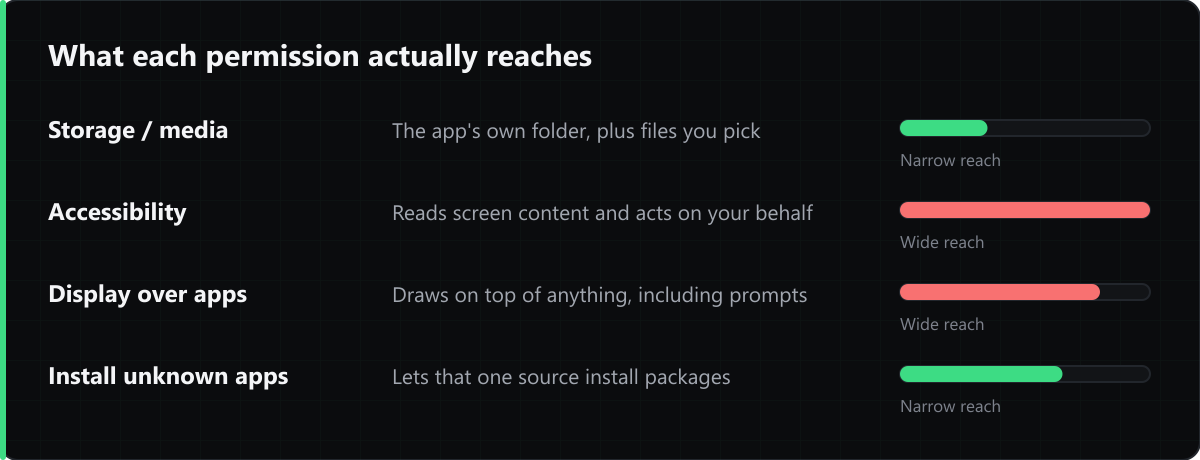
The ones worth reading
- Storage / media access. Since Android 10, scoped storage limits an app to its own directory plus whatever you explicitly pick. An app asking for broad access to all files needs a reason.
- Accessibility services. These can read screen content and act on your behalf. Legitimate uses exist — screen readers, automation tools — but this is the permission most abused by malware.
- Display over other apps. Used by chat heads and overlays, and also by overlay attacks that draw a fake prompt on top of a real one.
- Install unknown apps. Grant it to your browser or file manager only while you are installing, then switch it back off.
What a permission does not do
Granting one permission does not imply another. An app with camera access cannot read your messages, and an app with storage access cannot make calls. Android enforces each separately, and you can revoke any of them afterwards from Settings → Apps → Permissions.
Comments
Loading comments…